The simple tasks app you've always wanted.
Make your Google Tasks work like a charm.
Try it for freeMake your Google Tasks work like a charm.
Try it for freeBy adding automatic lists (Inbox, Today, Tomorrow, Later and Schemas) to Google Tasks. This allows easy management of scheduled tasks.
I just wanted Gemini AI to interact with my tasks, but I used Microsoft To-Do to which Gemini has no access, and Google Tasks were unusable. So I've fixed it. Now with Just Task, I have the best tasks app I know accessible by Gemini.
It's free for 64 days, then a cup of coffee, thus 3 USD (or 3 EUR or 9 PLN) per month billed yearly.
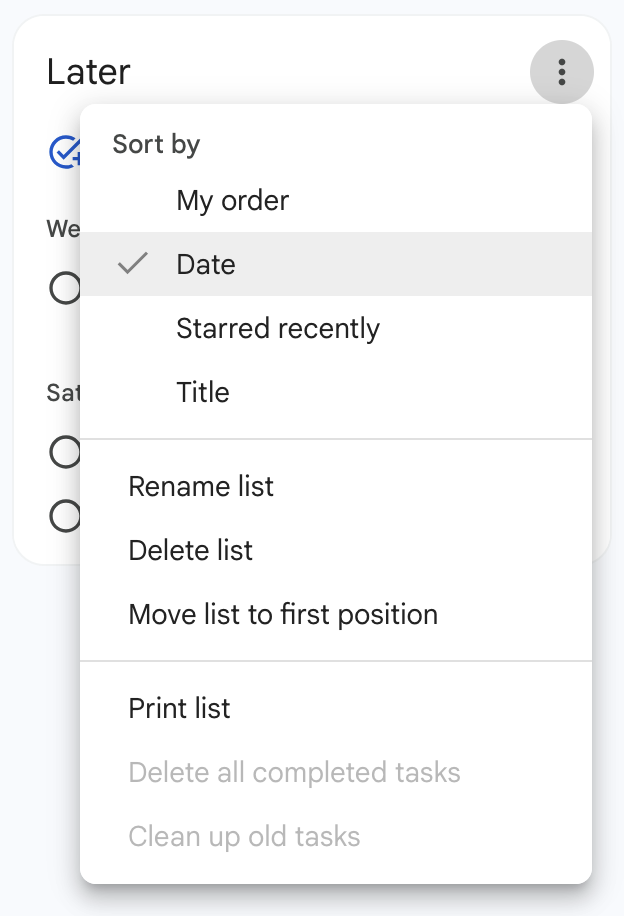
After registering, you will see the "Later" list in your tasks. It's best to sort it by date:
To make a task recurring, just add an appropriate hashtag to the task title:
#y for yearly#m for monthly#w for weekly#d for dailyYou can make it a full word, like #monthly, but the first letter will suffice.
By default, tasks are repeated, counting from the day of completion. If you want to count from the due date, add #due to the title. You can also combine it into one hashtag, like #duemonthly or abbreviate to just #dm.
Hashtags are case-insensitive.
If you have a task with many subtasks, you do irregularly, put it on the "Schemas" list and include #s or #schema in the title. When the time to do such a task comes, just move it to "Tomorrow", "Today" or add a due date. After completion, the task will return to "Schemas".